
Canva Pro Free Trial : I still remember the first time I hit that “Upgrade to Pro” wall on Canva. I was designing an Instagram carousel for a client, found the perfect template, and then — boom. Locked behind Canva Pro.
If you’ve been there too, you’re not alone. Every designer, marketer, and content creator eventually hits this same wall. The good news? You don’t have to pay a single rupee upfront to find out if Canva Pro is worth it.
In this guide, I’ll walk you through exactly how the Canva Pro free trial works, what it actually costs after the trial ends, whether Canva Education can get you Pro features for free, and how to cancel before you’re charged a single cent.
Please verifying you are not a robot...
What Is Canva Pro, Really?
Before I go further, let’s quickly cover what you’re actually getting.
Canva Pro is the premium tier of Canva. It unlocks:
- Over 100 million premium photos, videos, and graphics
- The Background Remover tool
- A custom Brand Kit (your fonts, logos, and brand colors, saved and ready to use)
- Magic Resize — turn one design into 50+ platform-ready sizes instantly
- 1TB of cloud storage
- Premium templates for social media, presentations, resumes, and print
Basically, it’s built for people like us — freelancers, small business owners, and creators — who need professional-looking designs without hiring an actual designer or learning Photoshop.
How I Activated My Canva Pro Free Trial
Here’s the exact process, step by step:
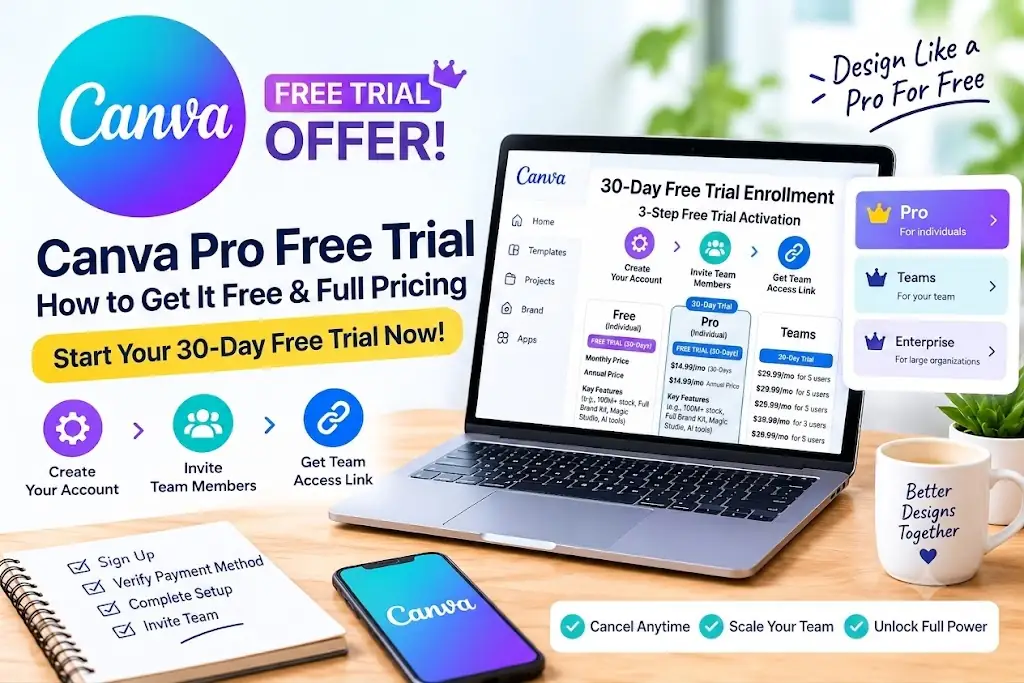
- Head to Canva.com and log in (or sign up if you’re new).
- From your dashboard, click “Try Canva Pro for free.”
- Pick your billing preference — monthly or annual.
- Enter your payment details. Yes, this is required, but don’t worry — you won’t be charged until the 30 days are up.
- That’s it. You now have full Pro access for 30 days.
A quick heads-up from experience: Canva does require a valid card upfront. If you forget to cancel before day 30, you’ll get auto-billed for whichever plan you picked. Set a reminder — trust me on this one.
So, How Much Does Canva Pro Actually Cost?
Once your trial ends (or if you skip the trial and subscribe directly), here’s what you’re looking at:
| Plan | Price |
|---|---|
| Canva Pro Monthly | ~$12.99/month |
| Canva Pro Annual | ~$119.99/year (roughly $10/month) |
The annual plan works out noticeably cheaper per month. If you already know you’ll use Canva regularly, it makes sense to commit annually. If you’re testing it for a single project, monthly gives you more flexibility.
(Quick disclaimer: pricing shifts slightly by country and currency, and Canva does run seasonal promotions. Always double-check the live rate on Canva’s official pricing page before you subscribe.)
How to Cancel Before You Get Charged
This is the part people mess up most often. Here’s how to avoid it:
- Go to Settings → Billing & Plans.
- Click Cancel Subscription (or Cancel Free Trial, depending on what shows up).
- Confirm the cancellation.
You’ll keep full Pro access until day 30 — cancelling early doesn’t cut your trial short. It just stops the auto-renewal. I personally set a phone reminder for day 28, giving myself a two-day buffer in case Canva’s servers are having a moment.
Wait — Is Canva Pro Free for Students?
Yes, and honestly, this is one of the most underrated things about Canva. If you’re a student or teacher, skip the trial entirely and look into Canva for Education.
Canva for Education gives verified students and K-12 teachers full Pro-level features — premium templates, Magic Resize, Brand Kit, the works — completely free for as long as you’re enrolled. No expiry date tied to a trial countdown.
Here’s how to apply:
- Head to Canva’s Education page.
- Sign up using your official school email, or upload proof of enrollment (student ID or an enrollment letter works).
- Once Canva verifies your status, your account upgrades automatically. No credit card needed anywhere in this process.
If you qualify, this is genuinely the better route over the 30-day trial — there’s no billing risk at all.
Free Trial vs Canva Education — Side by Side
| Canva Pro Free Trial | Canva Education | |
|---|---|---|
| Duration | 30 days | Free for as long as you’re enrolled |
| Card required | Yes | No |
| Who qualifies | Anyone | Verified students & teachers only |
| Auto-renews into a paid plan? | Yes | No |
If you’re eligible for Canva Education, there’s really no reason to go through the trial-and-cancel dance. Save yourself the hassle.
What About “Canva Pro Lifetime Free”?
I see this search a lot, so let me address it directly: Canva does not offer an official lifetime-free Pro plan. If you come across a site or video promising permanent free Pro access through modified apps, shared logins, or “unlimited invite tricks,” be careful — these typically violate Canva’s terms of service, and you risk losing your account (and sometimes your data) entirely.
The legitimate free routes to Pro-level features are:
- The 30-day free trial (temporary, but real)
- Canva for Education (for verified students and teachers)
- Canva for Nonprofits (for eligible registered nonprofit organizations)
That’s genuinely it. Anything beyond these three is worth being skeptical of.
My Honest Take
I’ve used both the free trial and, later, an annual Pro subscription for actual client work. The trial is genuinely enough time to figure out if Pro features fit your workflow — for me, the Background Remover and Brand Kit alone made the upgrade worth it once the trial ended.
If you only design occasionally — a birthday poster here, a resume there — the free plan is probably enough, and you don’t need to bother with the trial at all.
Frequently Asked Questions
Does the Canva Pro free trial require a credit card?
Yes. You need to enter payment details to activate the trial, but you won’t be charged unless you forget to cancel before day 30.
Can I use the Canva Pro free trial more than once?
Generally, Canva ties the free trial to one account and doesn’t allow repeat trials on the same account or payment method.
Is Canva Education really free forever?
It’s free for as long as your student or teacher status stays verified — there’s no fixed expiry like the 30-day trial.
What happens to my designs if I cancel Canva Pro?
Your designs stay intact. You just lose access to Pro-only templates, elements, and tools — everything you already created remains in your account.
Final Thoughts
Canva Pro is worth trying if you regularly create social media posts, presentations, or marketing materials — and the 30-day free trial gives you more than enough time to decide. Just set that cancellation reminder if you’re not planning to keep it. And if you’re a student or teacher, skip the trial altogether and apply for Canva Education instead — it’s the smarter free route.
Have questions about Canva Pro pricing or features? Drop them in the comments below!
4 thoughts on “Canva Pro Free Trial 2026: How to Get It Free + Full Pricing Guide”